USB-C Charger vs USB-A Charger: What's the Difference?
By MIZAZY · 15 November 2026
Chargers
A USB-C charger and a USB-A charger are named for the port on the brick. The cable has to match that port. Wattage matters after the plug fits. This comparison is about the ports, not about which wattage is enough for every phone.
Mizazy lists both ideas. The 135W Super Fast Charger has USB-C and USB-A. The 20W USB-C Power Adapter has USB-C only. The general charger guide covers how to pick a wattage. This page covers the port.
The port is the first difference
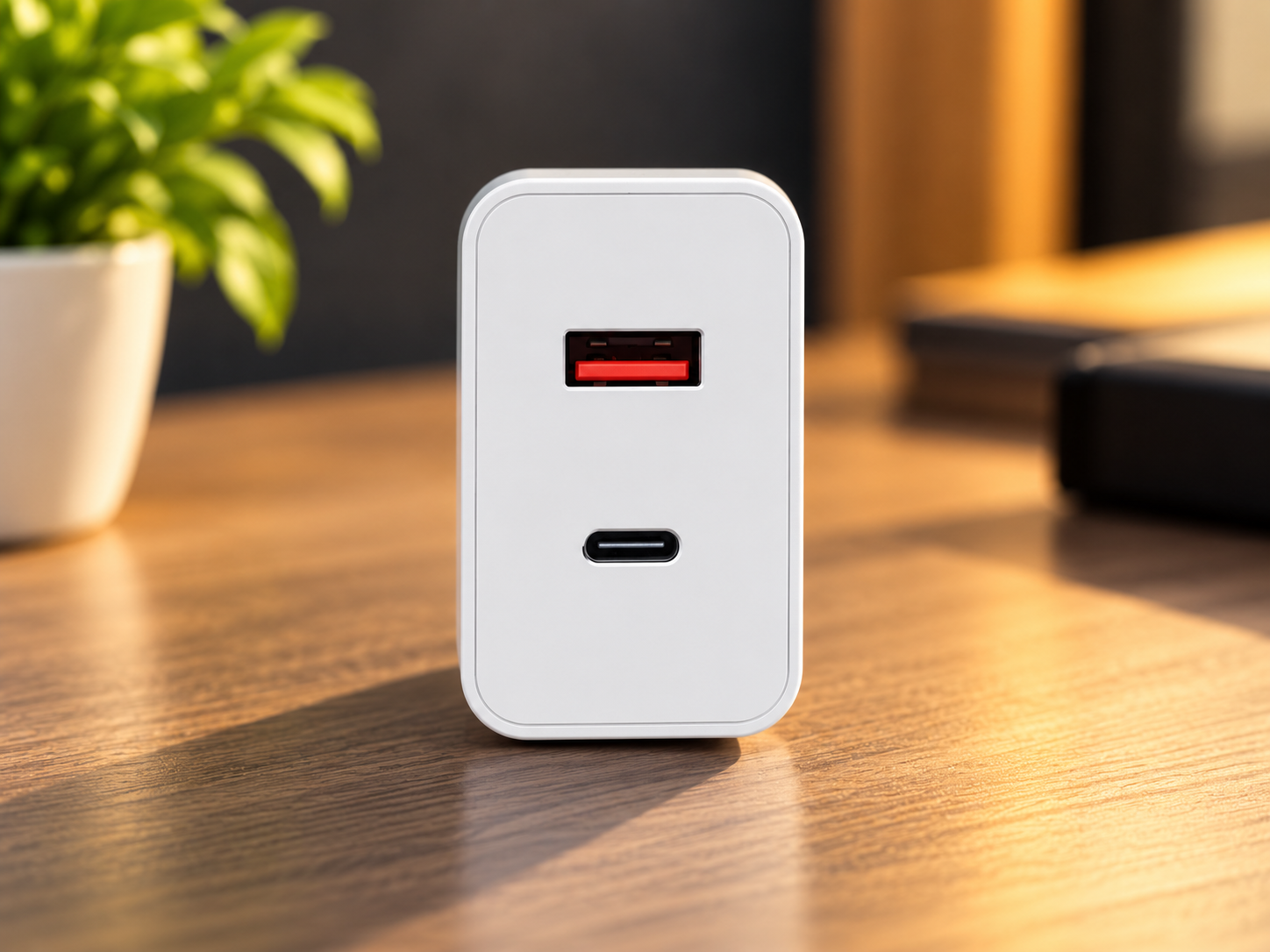
You can see the difference without a specification sheet. USB-A is rectangular and inserts one way. USB-C is smaller, oval, and inserts either way. A cable made for one will not seat in the other.
A fast mobile charger can have either port, or both. The label "fast" does not tell you the shape. Read the port line, then pick the cable.
What a USB-A port is for
USB-A is the older host-side connector. It is still common on chargers, power banks, and older laptops. A USB-A charger expects a cable with USB-A on the brick end. The phone end is then whatever the phone uses, often Type-C.
If every cable you own is USB-A to Type-C, a brick with a USB-A port is the one those cables fit. A USB-C-only brick leaves those cables with nowhere to plug in.
What a USB-C port is for
A USB-C port on the charger takes a USB-C plug. The other end of the cable might also be USB-C, or it might be Lightning on phones that still use that socket. The charger port only settles the brick end.
The Mizazy 20W adapter is this case: USB-C output, up to 20W, iPhone compatible for supported models when you add a compatible cable. The box does not include that cable.
Shape is not the same thing as speed
People treat USB-C as "the fast one" and USB-A as "the slow one". The shape is mechanical. Speed comes from what the charger and the phone negotiate, and from what the cable is rated to carry. A USB-A port on a capable brick is not automatically a slow port.
The 135W charger lists both shapes on one body and a 135W maximum for the product. That maximum is not a promise that each port, or every phone, delivers 135W. The page says actual power depends on the device, the protocol, and the supported output.
Protocols and compatibility
After the plug fits, the handshake still has to succeed. A phone may charge slowly from a port that is physically correct. That is a protocol limit, not a reason to force a different plug.
The 20W page names USB-C PD fast charging for supported iPhone and iPad models. It does not say every iPhone reaches 20W. The 135W page lists an intelligent chip that detects a connected compatible device and sets current. Stay inside "compatible". Do not read either page as support for every phone protocol.
The cable has to match the port you chose
Buy the cable after the brick, or check the cable you already own. USB-A bricks need a USB-A cable. USB-C bricks need a USB-C cable on that end. A dual-port brick lets you use either, one cable at a time or both if you are charging two devices.
The 135W box includes a 1 metre charging cable. The 20W box does not include a cable. That is a practical difference alongside the port difference, and it is why the 20W adapter is not a complete kit by itself.
Chargers with more than one port
Two ports are useful when a phone and another device charge together, or when the household owns both cable types. Sharing a maximum across ports can mean each device sees less than the headline wattage. Read any note about simultaneous use before you assume both ports run at the full number.
The 135W listing is the Mizazy charger with USB-C and USB-A together, plus the intelligent chip. The 20W listing is the single USB-C port. Pick dual ports when you need both shapes. Pick the single USB-C port when that is the only plug you use and a 20W ceiling fits the phone.
How to choose
Look at the cables already in the drawer. If they are USB-A on one end, a USB-A port or a dual-port brick keeps them useful. If you are starting from a USB-C phone and a plan to buy one cable, a USB-C charger is the simpler pair.
Then check the maximum. 20W and 135W Max are different ceilings, and neither overrides the phone. The charger category lists both adapters.
Mistakes that waste the purchase
Buying a USB-C-only adapter when every cable at home is USB-A. Buying a USB-A-only setup when the new charger you wanted is USB-C and you have no USB-C lead. Assuming the oval port is always faster than the rectangular one.
A fifth miss is forgetting the cable in the box count. The 135W charger includes a 1 metre lead. The 20W adapter does not. Order the missing cable with the adapter, not after the phone is already dead.
Conclusion
USB-C vs USB-A is a port decision first. The Mizazy 20W adapter is USB-C only, up to 20W, without a cable. The Mizazy 135W charger lists USB-C and USB-A, a 135W maximum, an intelligent chip, and a 1 metre cable in the box.
Match the port to the cable. Then let the phone and the protocol decide how much of the printed maximum you actually get.
Questions
Is USB-C always faster than USB-A?
No. The shape is the connector. Charging speed depends on the charger, the phone, the protocol, and the cable. The 135W Mizazy charger lists both port types.
Which Mizazy charger has both ports?
The 135W charger lists USB-C and USB-A. The 20W adapter lists USB-C only.
Do both chargers include a cable?
The 135W box includes a 1 metre charging cable. The 20W box contains the adapter and packaging, not a cable.